This is our Tidio review for Shopify store owners who want to stop losing customers to unanswered questions. A customer lands on your store at 2:15 AM. They add a product to their cart, then a question comes up — about sizing, shipping time, return policy. No live chat, no answer. They close the tab. By the time you wake up, they've already bought from another store.
Tidio fills exactly this gap. One of the most-installed live chat and chatbot apps on Shopify — used by over 300,000 stores. But does it actually work, or is it just popular? Here's what we found in our Tidio review.
Tidio Review: First Impressions
Setup takes about 5 minutes. Install from the Shopify App Store, connect to your store, match the colors to your brand — done. No technical knowledge required. The interface is clean and simple — no tab switching needed.
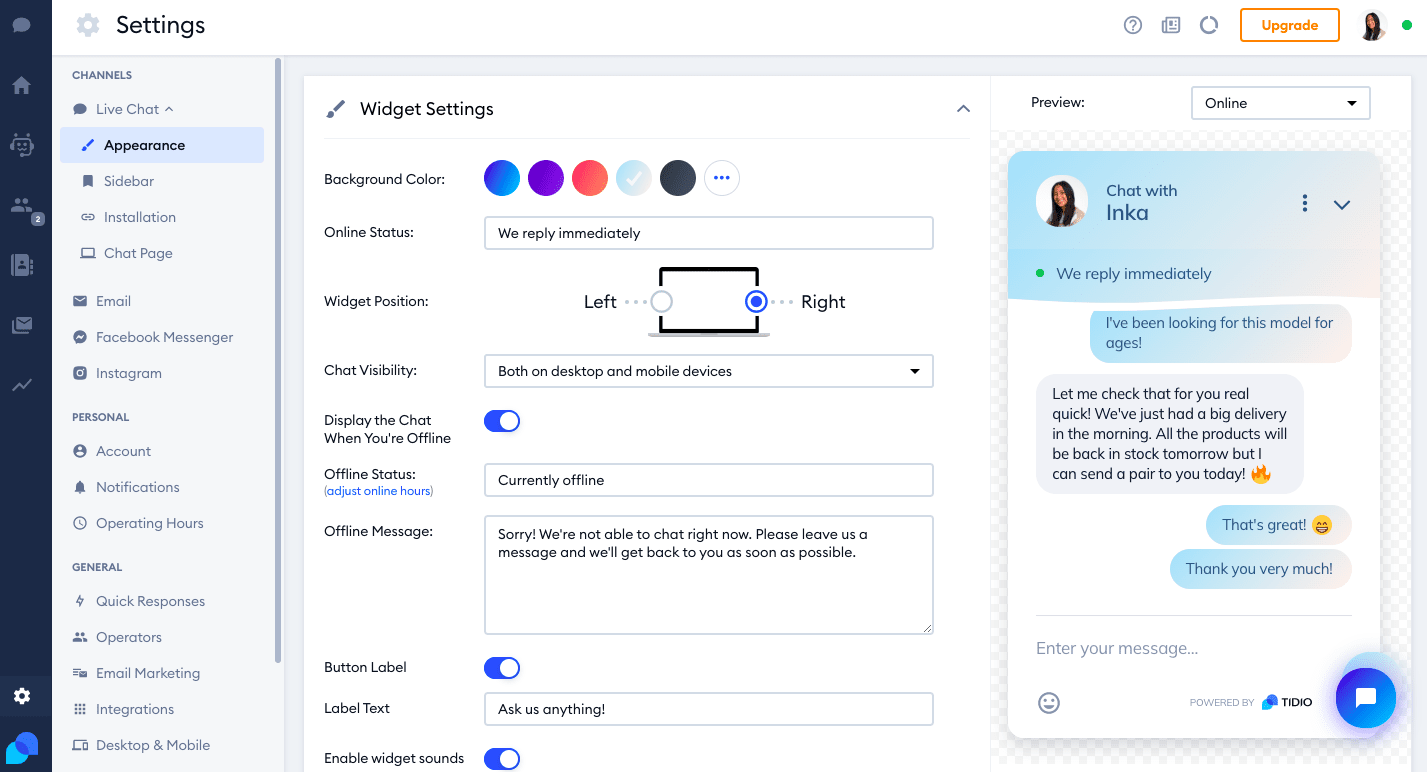
Chatbot setup takes a bit longer. There are ready-made templates — "cart abandonment", "welcome message", "FAQ" and more. You don't have to start from scratch, but you'll still need to customize each flow for your store.
Key Features
Live Chat: Real-time messaging while visitors are on your store. Desktop and mobile apps available — you can respond even when you're away from your desk.
Chatbot: Answers questions automatically when you're not around. "Where is my order?", "How do I return something?" — repetitive questions get answered 24/7.
Lyro AI: Tidio's AI-powered support agent. It learns from your own content base and responds to customer questions like a human. Limited on free plans — fully operational on paid plans.
Email & Social Media Integration: Instagram, Messenger, email — all consolidated in one panel.
Visitor Tracking: How many people are on your store, which page they're on, how long they've been there — you see it live.
What Real Users Are Saying About Tidio
Over 1,800 reviews on the Shopify App Store, average rating 4.7/5.
Recurring themes in positive reviews: ease of setup, chatbot making a difference from the first week, fast response from the support team.
Recurring themes in negative reviews: low conversation limit on the free plan, Lyro AI only working on paid plans, some users report notification delays.
A common observation across G2 and Capterra: the free plan is enough for small stores. As you grow, upgrading becomes inevitable — but by then you'll know it's worth it.
Tidio Review: Pros & Cons
| ✅ Advantages | ❌ Disadvantages |
|---|---|
| 5-minute setup, no technical knowledge required | 50 conversations/month limit on free plan |
| Deep Shopify integration — order history visible instantly | Lyro AI only fully works on paid plans |
| Live chat + chatbot + email in one panel | Chatbot flows take time to configure |
| 24/7 automated support capability | Mobile notifications can be delayed |
| Free plan available | Costs scale quickly for larger stores |
| 300,000+ stores — proven track record | Advanced AI features cost extra |
Who Is Tidio For — And Who Isn't It For
Tidio is the right choice if:
- You're running a new or mid-sized Shopify store
- You can't afford to build a full support team yet
- You want to automate repetitive questions
- You want to start free and scale as you grow
Tidio is not the right choice if:
- You're already getting 100+ customer messages per day — costs will add up fast
- Email support alone is enough — you may not need all of Tidio's features
- You need advanced multi-channel support — Gorgias is more powerful at that stage
Tidio Pricing: Is It Worth It?
Tidio operates on a tiered pricing model based on conversation volume:
- Free: 50 conversations/month, basic live chat
- Starter ($29/mo): 100 conversations, basic chatbots
- Growth ($59/mo): Unlimited conversations, Lyro AI included
- Tidio+: Custom pricing for large stores
Honest take: if you're receiving fewer than 100 messages per month, the free plan is enough. As you grow, upgrading to Growth becomes unavoidable — but at that point it's worth comparing with Gorgias to see which fits your operation better.